한 줄 요약: Understudy는 “컴퓨터를 직접 조작할 수 있는 범용 로컬 에이전트”를 목표로 하며, GUI 자동화 위에 브라우저·셸·웹·메모리·메시징을 얹고, teach-by-demonstration과 워크스페이스 아티팩트(skill/worker/playbook)로 반복 업무를 학습시키는 pnpm 모노레포다.
분석 범위: GitHub
README,docs/Product_Design.md, GitHub Discussions,examples/published-skills, 루트 및 주요 패키지package.json, 그리고 모노레포 소스 트리.주의: GitHub Wiki는 별도 문서 페이지가 활성화되어 있지 않았고 저장소 루트로 리디렉션되었다. 따라서 이 프로젝트의 실질적 source of truth는 README와
docs/, 그리고 패키지별 README/소스 구조다.
Quick Links
- GitHub Repository: https://github.com/understudy-ai/understudy
- Overview / Landing Docs: https://understudy-ai.github.io/understudy/
- Product Design: https://github.com/understudy-ai/understudy/blob/main/docs/Product_Design.md
- npm Package: https://www.npmjs.com/package/@understudy-ai/understudy
- Discord: https://discord.gg/eyR2dS3f
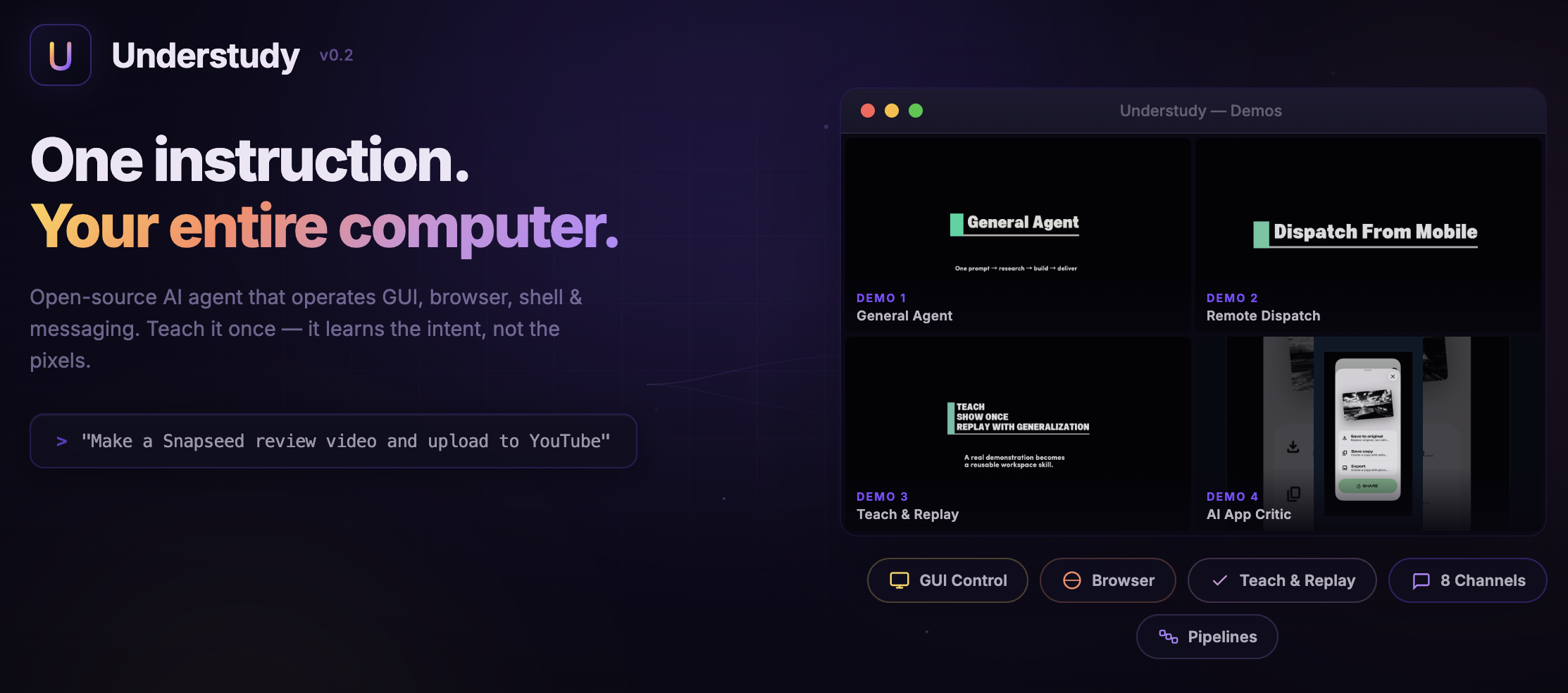
- Demo — General Agent: https://youtube.com/shorts/KObeVm7MK1Y
- Demo — Remote Dispatch: https://youtu.be/HlTD6Jvm3gk
- Demo — Teach & Replay: https://youtube.com/shorts/ZOZU6vb4rRs
- Demo — AI App Critic Result: https://youtu.be/jliTvpTnsKY
- Demo — AI App Critic Process: https://youtu.be/gYMYI0bxkJs
- Related Paper: 저장소에서 별도 논문 링크는 확인되지 않음
Key Features
- Unified multi-route agent runtime
- 하나의 세션 안에서 GUI, browser, shell, web, memory, messaging, scheduling, subagent delegation을 혼합해 실행한다.
- 단일 “chat agent”가 아니라, 실행 라우트가 다양한 로컬 작업 운영체제에 가깝다.
- Native GUI capability with screenshot grounding
gui_observe,gui_click,gui_drag,gui_scroll,gui_type,gui_key,gui_wait,gui_move등 8개 GUI 도구를 중심으로 macOS 앱을 조작한다.- “무엇을 할지”를 판단하는 메인 모델과, “화면 어디를 눌러야 하는지”를 찾는 grounding 모델을 분리한 구조가 핵심이다.
- Teach by Demonstration
/teach start→ 실제 작업 시연 →/teach stop→ AI 분석 → teach draft 생성 → clarification dialogue →/teach confirm→/teach publish- 좌표 매크로가 아니라 의도(intent), 파라미터(parameter slots), 성공 기준(success criteria), 라우트 옵션(route options) 을 뽑아낸다.
- Workspace artifacts: skill / worker / playbook
- Skill: 품질 게이트 안에서 스스로 판단하는 agentic capability
- Worker: 구조화된 출력을 내는 deterministic subtask
- Playbook: 여러 stage를 child session으로 orchestration하는 상위 아티팩트
- 이 구분은 단순한 “프롬프트 저장소”보다 훨씬 실행 친화적이다.
- Crystallization loop for repeated work
- 사용 이력을 segmentation / clustering / synthesis 해서 반복되는 패턴을 skill로 승격한다.
- 즉, explicit teaching뿐 아니라 implicit learning도 아키텍처에 포함되어 있다.
- Route optimization
- 동일 기능을 API / shell / browser / GUI 여러 경로로 실행할 수 있고, 런타임은 더 빠르고 안정적인 경로를 선호한다.
- Teach 결과물은 각 step마다
preferred / fallback / observed라우트를 기록한다.
- Multi-channel dispatch
- Telegram, Slack, Discord, WhatsApp, Signal, LINE, iMessage, Web 등의 channel adapter를 제공한다.
- “폰에서 메시지 → 내 데스크톱의 로컬 실행” 같은 흐름을 자연스럽게 만든다.
- Local-first evidence model
- 스크린샷, 녹화 영상, 트레이스, teach draft, workspace skill 등을 기본적으로 로컬에 저장하는 철학이다.
- 단, GUI grounding이나 teach 분석 시 선택된 이미지/키프레임은 외부 모델 provider로 전달될 수 있다.
- Subagent and pipeline composition
- Playbook이 각 단계를 별도 child session으로 실행한다.
- 긴 pipeline에서 단계별 context 분리, 도구 제한, structured output contract를 만들기 좋다.
- Built-in skill library
skills/폴더에 다양한 내장 스킬이 들어 있어, generic agent + reusable skills의 혼합 운영 모델이 명확하다.- 즉, “처음부터 모든 것을 LLM에게 즉흥적으로 맡기는” 구조가 아니다.
Tech Stack
Runtime / Language / Packaging
| Category | Stack | Notes |
|---|---|---|
| Core runtime | Node.js >=20.6.0 |
루트 manifest 기준 |
| Package manager | pnpm@10.6.5 |
workspace monorepo |
| Primary language | TypeScript | 대부분의 런타임/도구/채널 |
| Native helper | Swift (macOS) | GUI capture / event / input injection 보조 |
| Package version | @understudy-ai/understudy 0.2.0 |
루트 패키지 버전 |
Core Libraries
| Layer | Major packages | Notes |
|---|---|---|
| Agent / planner | @mariozechner/pi-agent-core, @mariozechner/pi-ai, @mariozechner/pi-coding-agent, @mariozechner/pi-tui |
루트 기준 ^0.62.0 |
| Validation / schema | zod ^3.24.1, @sinclair/typebox ^0.34.48 |
tool / artifact schema 처리 |
| CLI / server | commander ^13.1.0, express ^5.1.0, ws ^8.18.0, croner ^9.1.0 |
CLI, HTTP, WebSocket, scheduling |
| Config / parsing | dotenv ^16.4.7, yaml ^2.8.1, json5 ^2.2.3 |
local config / workspace artifact |
| DOM / HTML | linkedom ^0.18.9 |
lightweight DOM processing |
Optional / Integration Libraries
| Capability | Package / dependency | Notes |
|---|---|---|
| Browser automation | playwright ^1.52.0 |
optional dependency, browser binary 설치 필요 |
| Local DB / memory | better-sqlite3 ^11.7.0 |
optional |
| Slack | @slack/bolt ^4.3.0 |
optional |
| Telegram | grammy ^1.35.0 |
optional |
| Discord | discord.js ^14.18.0 |
optional |
@whiskeysockets/baileys 7.0.0-rc.9 |
optional | |
| QR auth helper | qrcode-terminal ^0.12.0 |
optional |
Build / Test Tooling
| Tool | Version | Role |
|---|---|---|
| esbuild | ^0.25.0 |
bundling / build |
| vitest | ^3.2.4 |
test runner |
@vitest/coverage-v8 |
^3.2.4 |
coverage |
| oxlint | ^1.51.0 |
linting |
@types/node |
^24.3.0 |
TS types |
External binaries / system requirements
| Dependency | Why it matters |
|---|---|
| Xcode Command Line Tools | Swift native helper 빌드 |
| macOS Accessibility permission | 입력 주입, 키/마우스 이벤트, demo capture |
| macOS Screen Recording permission | screenshot grounding, verification, teach recording |
| Chrome | extension relay browser mode |
| Playwright browser binaries | managed browser mode |
ffmpeg + ffprobe |
teach evidence pack의 video-first 분석 |
signal-cli |
Signal 채널 지원 |
Environment variables (from .env.example)
ANTHROPIC_API_KEY=
OPENAI_API_KEY=
GOOGLE_API_KEY=
MINIMAX_API_KEY=

UNDERSTUDY_DEFAULT_PROVIDER=openai-codex
UNDERSTUDY_DEFAULT_MODEL=gpt-5.4
UNDERSTUDY_GATEWAY_TOKEN=
Practical note on version alignment
루트 manifest는 @mariozechner/pi-* 계열을 ^0.62.0으로 선언하지만, 일부 workspace package manifest에는 ^0.56.2가 남아 있다.
이 저장소를 실제로 포크해 확장하려면, lockfile / workspace hoisting / transitive version drift를 먼저 확인하는 편이 안전하다.
Architecture
Architecture figure
아래 그림은 저장소의 README ASCII 아키텍처, Product Design 설명, 패키지 경계를 바탕으로 이번 분석에서 재구성한 도식이다.
저장소에 동일한 standalone architecture PNG/SVG는 확인되지 않았다.

1) Runtime execution plane
핵심 구조는 아래처럼 이해하면 된다.
- Entry surfaces
- Terminal / CLI
- Dashboard / WebChat
- Messaging channels (Telegram, Slack, Discord, WhatsApp, Signal, LINE, iMessage, Web)
- Gateway (
packages/gateway)- HTTP + WebSocket + JSON-RPC 엔드포인트
- channel policy, auth, handler registry, session runtime 연결
- WebChat UI / Dashboard UI도 이 계층에서 노출
- Session Runtime (
packages/gateway+packages/core)- system prompt assembly
- tool binding
- trust / policy pipeline
- memory / trace / task-draft orchestration
- child session / subagent spawning
- Execution routes (
packages/tools+packages/gui+packages/channels)- GUI: screenshot grounding + native input
- Browser: managed Playwright + Chrome extension relay
- Shell / Web: exec, process, web search / fetch, pdf, image, vision
- Memory / Schedule: semantic memory, timers, run history
- Messaging: channel adapters
- Artifacts / evidence
- traces
- screenshots
- teach draft
- workspace skills / workers / playbooks
- validation outputs
2) Why the architecture matters
이 프로젝트의 핵심은 “GUI 자동화가 있다”가 아니다. 더 중요한 것은:
- GUI를 보편적 fallback route로 둔다
- 하지만 steady state에서는 API / CLI / browser / reusable artifact 쪽으로 승격하려 한다
- 즉, GUI는 최종 목표가 아니라 cold-start bootstrap layer다
이 점이 일반적인 “computer-use demo”와 Understudy를 구분하는 가장 중요한 설계 포인트다.
3) GUI grounding design
Product Design 문서상 GUI 계층은 다음 특징을 가진다.
- 메인 모델은 무엇을 클릭할지 결정
- grounding 모델은 화면에서 어디를 클릭할지 결정
- Retina / HiDPI 좌표계를 고려해
- physical pixels
- logical points
- model pixels
세 좌표 공간을 변환한다
- 작은 타깃은 crop/enlarge refinement pass
- complex mode에서는 simulation overlay + validator pass
- 실행 후 항상 re-observe / verify를 거친다
즉, GUI step 하나하나가 단순 click이 아니라:
observe → resolve target → execute → re-observe → verify → trace
라는 규율을 갖는다.
4) Teach / learning plane
Understudy의 learning loop는 다음 순서로 요약할 수 있다.
/teach start.movscreen recordingevents.jsonsemantic event capture- app switch / keyboard / mouse / accessibility context 수집
/teach stop "task name"- 녹화를 종료하고 evidence pack 생성
- Evidence pack analysis
- scene detection (
ffmpeg) - event clustering
- scene/event/context window merge
- keyframe 기반 task interpretation
- scene detection (
- Teach draft
- 제목, 목표, 파라미터 슬롯, steps, success criteria, route options를 정리
- multi-turn clarification dialogue로 refinement
/teach confirm [--validate]- 재생 validation 가능
/teach publish [skill-name]SKILL.md생성- workspace에 저장
- active session에 hot-load
5) Artifact model: skill / worker / playbook
이 저장소를 실제 참고 구현하려면 이 구분을 반드시 이해해야 한다.
Skill
- agentic
- 목표와 품질 기준을 받고 내부적으로 판단
- 익숙하지 않은 앱 탐색 같은 open-ended 작업에 적합
Worker
- deterministic
- 정해진 sequence와 structured output
- 반복 가능한 수집/변환/정리 단계에 적합
Playbook
- orchestration
- stage별 child session spawn
- stage sequencing, state handoff, output contract 관리
실무적으로는 다음 패턴이 잘 맞는다.
playbook
  ├─ worker (deterministic acquisition)
  ├─ worker (data normalization)
  ├─ skill  (agentic exploration / decision)
  ├─ skill  (drafting / editing / critique)
  └─ worker (publish / notification / cleanup)
6) Route policy
현재 노출되는 철학은 명확하다.
Direct tool / API > Shell / CLI > Browser > GUI- GUI는 universal fallback
- teach artifact는 step별 라우트 선호도를 기록
- browser mode는 relay attach 우선, 필요 시 managed Playwright fallback
- capability matrix가 현재 가능한 라우트만 노출
이 구조는 “처음에는 GUI로라도 되게 만들고, 반복되면 더 나은 경로로 옮긴다” 는 관점에서 매우 설득력 있다.
Source Code Map
Monorepo layout
apps/
  cli/                  # end-user commands, terminal entry
assets/                 # branding / cover
docs/                   # product design, overview-linked docs
examples/
  demo-teach/
  published-skills/     # teach 산출물 예시
packages/
  channels/             # channel adapters
  core/                 # config, auth, prompts, trust, skill/workflow core
  gateway/              # server, session runtime, UI endpoints, RPC
  gui/                  # screenshot grounding, native helper, teach recorder
  tools/                # exec/browser/web/memory/pdf/image/gui tool surface
scripts/                # utility scripts
skills/                 # built-in skills
tests/
  e2e/                  # end-to-end test harness
Package-by-package reading guide
| Package / path | 역할 | 먼저 볼 파일 |
|---|---|---|
apps/cli/src |
CLI entrypoint, rpc client, commands | bin.ts, index.ts, commands/ |
packages/core/src |
설정, 인증, prompt, skill orchestration, trust, crystallization | agent.ts, config.ts, system-prompt.ts, tool-registry.ts, workflow-crystallization.ts, trust-engine.ts |
packages/gateway/src |
HTTP/WS gateway, JSON-RPC handlers, session runtime, dashboard/webchat, playbook/worker runtime | server.ts, protocol.ts, handler-registry.ts, session-runtime.ts, playbook-runtime.ts, worker-runtime.ts, webchat-ui.ts, control-ui.ts |
packages/gui/src |
GUI runtime, readiness checks, native helper, teach recorder | runtime.ts, capabilities.ts, readiness.ts, native-helper.ts, demonstration-recorder.ts |
packages/tools/src |
실질적인 tool 구현 모음 | runtime-toolset.ts, gui-tools.ts, exec-tool.ts, process-tool.ts, browser/, memory/, schedule/, video-teach-analyzer.ts, openai-grounding-provider.ts |
packages/channels/src |
각 메시징 채널 adapter | factory.ts 또는 adapter entry files, 각 채널 폴더 |
examples/published-skills/.../SKILL.md |
teach 산출물 스키마를 가장 빠르게 이해 | published skill example |
skills/ |
내장 스킬 패턴 | 특정 앱/서비스별 skill definitions |
tests/e2e |
artifact/playbook contract 검증 | e2e harness |
Recommended code reading order
실제 구현/포크 관점에서의 추천 순서는 다음이다.
apps/cli/src/bin.tspackages/gateway/src/server.tspackages/gateway/src/session-runtime.tspackages/core/src/system-prompt.tspackages/tools/src/runtime-toolset.tspackages/gui/src/runtime.tspackages/tools/src/video-teach-analyzer.tspackages/core/src/workflow-crystallization.tsexamples/published-skills/.../SKILL.mdtests/e2e
이 순서대로 보면 entrypoint → runtime orchestration → tool surface → GUI specifics → learning pipeline → artifact schema → E2E contract 흐름을 한 번에 잡을 수 있다.
What the published skill format tells you
예시 SKILL.md를 보면 teach 결과물은 단순 자연어 메모가 아니다. 대체로 아래 정보를 가진다.
metadata.understudy.artifactKindtriggersrouteSignature- Overall Goal
- Staged Workflow
- GUI Reference Path
- Tool Route Options
- Parameter Slots
- Replay Preconditions
- Success Criteria
- Execution Strategy
- Detailed GUI Replay Hints
- Failure Policy
즉, Understudy는 “행동 기록”을 저장하는 게 아니라 재실행 가능한 task contract를 저장한다.
Usage & Setup
1) Quick install from npm
npm install -g @understudy-ai/understudy
understudy wizard
2) Install from source
git clone https://github.com/understudy-ai/understudy.git
cd understudy
pnpm install && pnpm build
pnpm start -- wizard
3) Typical runtime startup
understudy daemon --start
understudy chat
추가 entry points:
understudy dashboard
understudy webchat
understudy agent --message "Research X and summarize it"
understudy models --list
4) Browser / media prerequisites
pnpm exec playwright install chromium
brew install ffmpeg
Signal을 쓰려면:
brew install signal-cli5) macOS permission checklist
GUI 자동화와 teach-by-demonstration을 쓰려면 최소한 다음이 중요하다.
- Accessibility permission
- 클릭 / 타이핑 / 단축키 / 드래그 / 데모 이벤트 캡처
- Screen Recording permission
- 스크린샷 캡처 / grounding / verification / 데모 영상 녹화
실전에서 가장 먼저 막히는 부분이 여기다.
코드 자체보다 OS 권한과 브라우저/보조 바이너리 설치 상태가 더 큰 실패 원인이 된다.
6) First-run recipe I would use
아래 순서로 세팅하면 실패 확률이 낮다.
understudy wizard- provider/model 연결 확인
- macOS Accessibility + Screen Recording 허용
understudy models --list- Playwright/Chrome 준비
understudy chat으로 browser/web/shell 위주 간단한 task 테스트- 그 다음에만
/teach start로 작은 GUI workflow 시연 - 마지막으로 generated
SKILL.md를 열어 파라미터와 success criteria를 손으로 검토
7) What to verify before building on top of it
포크/확장 전에 아래를 먼저 확인하는 것이 좋다.
- 어떤 provider/model 조합을 쓸 것인가
- 로컬에서 GUI 권한이 안정적으로 잡히는가
- Playwright 또는 Chrome relay 중 무엇을 기본 경로로 둘 것인가
- artifact 저장 위치 / workspace 경계가 팀 운영 방식과 맞는가
- regulated domain이라면 evidence 저장 및 redaction 정책을 어떻게 둘 것인가
Practical Engineering Takeaways
1) GUI를 “끝”이 아니라 “시작”으로 취급한다
대부분의 computer-use 프로젝트는 GUI 자동화 자체가 목적이 되기 쉽다.
Understudy는 반대로 GUI를 어떤 시스템이든 처음에는 접근 가능한 universal fallback으로 두고, 반복되면 더 나은 route로 올리는 전략을 취한다.
이 설계는 실제 제품화에서 매우 중요하다.
2) Teach는 macro recording이 아니라 contract synthesis다
Understudy의 teach pipeline은:
- raw event capture
- evidence-pack construction
- natural-language clarification
- route annotation
- replay validation
- artifact publication
으로 이어진다.
즉, 사람 시연을 실행 가능한 명세로 변환한다는 점이 핵심이다.
3) Agentic / deterministic 경계를 artifact로 명시한다
skill, worker, playbook 구분은 단순 naming이 아니라 실패 처리, 품질 보증, 오케스트레이션 범위를 제어하는 도구다.
이 아이디어는 다른 도메인으로 옮겨도 매우 재사용성이 높다.
4) “하나의 큰 에이전트” 대신 “child session 합성”으로 간다
복잡한 파이프라인을 한 LLM 대화창에 몰아넣지 않고, 단계마다 별도 세션과 도구 계약을 만든다.
이 방식이 장기적으로 디버깅, 재시도, 캐시, provenance 관리에 유리하다.
5) 진짜 제품화 포인트는 policy pipeline이다
README와 Product Design 모두 “무엇을 할 수 있나”뿐 아니라 언제 어떤 tool을 허용할지, 어떤 evidence를 남길지, 실패를 어떻게 다룰지를 강조한다.
규제 환경이나 enterprise 환경으로 갈수록 이 부분의 가치가 커진다.
Community Signals
Discussions
현재 Discussions는 활발한 포럼이라기보다 초기 maintainer-seeded 상태에 가깝다.
주요 신호는 다음과 같다.
- setup/usage/support용 starter thread 존재
- architecture / design / feature idea / demos 공유를 위한 welcome thread 존재
- maintainer roadmap 메모에는
- Linux AT-SPI backend
- Windows UIA backend
- grounding / validation robustness
- teach-by-demonstration 및 skill synthesis
- route optimization / memory
같은 우선순위가 보인다
Wiki
- 별도 GitHub Wiki 문서는 확인되지 않았음
- 저장소 루트가 실질적 문서 허브 역할을 한다고 보는 편이 맞다
Project maturity read
이 프로젝트는 문서의 설계 선명도는 상당히 높지만, 기능 로드맵과 패키지 버전 정렬 상태를 보면 아직 빠르게 진화 중인 초기~중기 단계로 보는 편이 적절하다.
참고 구현 시에는 “API stability”보다 design pattern 차용에 더 큰 가치를 두는 것이 좋다.
Risks / Constraints You Should Know Before Reusing
- GUI/teach는 현재 macOS 중심
- cross-platform core는 의도되어 있지만, native GUI backend는 macOS가 실질 기준선이다.
- 권한/환경 의존성이 큼
- Accessibility, Screen Recording, Chrome/Playwright, ffmpeg 등이 모두 런타임 품질에 직접 영향을 준다.
- LLM-first subsystems가 아직 많다
- crystallization, route upgrade, synthesis는 강력하지만 여전히 heuristic/LLM 의존 부분이 있다.
- Regulated domain으로 가져갈 때 guardrail 추가 필요
- 의료/재무/법률 분야에서는 confirm gates, redaction, allowlisted tools, immutable audit log가 사실상 필수다.
- Version churn 가능성
- monorepo 내부 dependency alignment가 완전히 고정된 느낌은 아니다.
- 포크 후 바로 대규모 리팩토링하기보다는, 먼저 minimal slice를 세워 동작 범위를 고정하는 편이 좋다.
Personal Insights
1) 의료 AI 관점
의료 현장에는 아직도 현대적 API가 부실한 레거시 GUI 시스템이 많다.
Understudy의 가장 흥미로운 점은 바로 여기서 빛난다.
영감을 주는 지점
- EHR / PACS / 원무/청구 포털처럼 API가 약한 시스템에도 GUI fallback으로 진입 가능
- 사람이 한 번 시연한 코디네이터 업무를 teach pipeline으로 skill화 가능
- evidence / trace / replay validation 구조는 auditability를 강화하는 출발점이 될 수 있음
바로 가져오면 안 되는 지점
- 의료 데이터는 PHI/PII가 섞이므로 raw screenshot/recording 처리 정책이 더 엄격해야 함
- open-ended agentic exploration 대신 worker/playbook 중심의 제한된 autonomy가 더 적합
- model provider로 캡처 이미지가 나가는 경계를 도메인 정책에 맞게 재설계해야 함
내가 차용할 요소
- GUI를 universal fallback으로 두되
- 실제 배포는 allowlisted tasks + human confirmation + immutable audit trail 조합으로 운영
/teach산출물을 바로 실행시키지 말고, clinical workflow review step을 별도 추가
2) Bioinformatics 관점
Bioinformatics 업무는 CLI, 웹 포털, Jupyter, 데스크톱 시각화 툴, 스프레드시트가 뒤섞인 경우가 많다.
Understudy의 multi-route runtime + artifact composition은 이 현실과 잘 맞는다.
영감을 주는 지점
- worker: deterministic preprocessing, file conversion, schema normalization
- skill: open-ended interpretation, literature scan, QC triage
- playbook: sample intake → alignment/QC → result collation → visualization export → report packaging
특히 좋은 아이디어
- GUI에서 먼저 프로토타이핑한 작업을 반복 사용 후 CLI/API route로 승격시키는 방식
- 즉, “demonstrate first, crystallize later, optimize route over time” 패턴
적용 시 주의점
- 재현성(reproducibility)이 중요하므로, worker 단계는 가능한 한 deterministic toolchain으로 고정해야 함
- notebook/GUI 상호작용은 trace와 environment snapshot 없이는 reproducibility가 약해질 수 있음
3) Autonomous Agent 관점
Autonomous agent 설계 관점에서 Understudy의 가장 좋은 아이디어는 “아무 데서나 시작할 수 있고, 반복되면 더 나은 표현으로 굳어진다” 는 점이다.
강한 설계 포인트
- GUI = universal bootstrap layer
- skill/worker/playbook = reusable execution abstraction
- session runtime + subagent = compositional autonomy
- route policy = cost/speed/reliability tradeoff를 명시적으로 관리
일반적인 에이전트 프레임워크보다 나은 점
- 많은 agent framework는 API-first라서 레거시 도메인 진입이 약함
- Understudy는 GUI까지 포함해 cold-start 문제를 푼 뒤,
- 반복 성공 사례를 artifact로 승격시켜 점점 비-LLM적이고 구조화된 실행으로 이동하려 한다
내가 가장 높게 평가한 아이디어
- 좌표를 기억하는 게 아니라 intent와 route contract를 기억한다
- 이 설계는 장기적으로 robustness와 portability를 크게 높인다
Bottom line
이 프로젝트가 주는 가장 큰 영감은 “컴퓨터 사용 에이전트” 그 자체보다,
GUI fallback → demonstration learning → artifact synthesis → route optimization 으로 이어지는 점진적 자동화 아키텍처다.
의료 AI, 바이오인포매틱스, 자율 에이전트 모두에서 이 패턴은 그대로 응용 가치가 있다.
Final Assessment
Understudy를 한 문장으로 정리하면 다음과 같다.
“레거시 GUI 환경에서도 시작할 수 있고, 반복 성공을 점차 reusable artifact와 더 좋은 execution route로 굳혀 가는 local-first agent operating stack.”
추천 활용 방식
- 그대로 제품에 넣기보다는, 다음 3가지를 차용하는 것이 가장 가치 있다.
- GUI fallback + route hierarchy
- demonstration → contract synthesis pipeline
- skill / worker / playbook 분리
어떤 사람에게 특히 좋은 레퍼런스인가
- computer-use agent를 직접 구현하려는 개발자
- GUI automation을 넘어서 reusable workflow system을 만들고 싶은 팀
- 의료/연구/운영 등 API가 약한 현실 시스템을 상대해야 하는 팀
- 단일 agent chat보다 artifact-oriented autonomy에 관심 있는 팀
References
- README: https://github.com/understudy-ai/understudy/blob/main/README.md
- Product Design: https://github.com/understudy-ai/understudy/blob/main/docs/Product_Design.md
- Example published skill: https://github.com/understudy-ai/understudy/tree/main/examples/published-skills
- GitHub Discussions: https://github.com/understudy-ai/understudy/discussions
'AI 생성 글 정리 > tech_github' 카테고리의 다른 글
| Hermes Agent — self-improving 멀티채널 AI agent runtime (0) | 2026.04.08 |
|---|---|
| Unsloth — unified local interface for running and training AI models (0) | 2026.04.08 |
| RAGFlow — Deep document understanding + Agent 기능을 결합한 오픈소스 RAG 엔진 (0) | 2026.04.08 |
| Dify — 프로덕션 지향 Agentic Workflow / LLM App 플랫폼 (0) | 2026.04.08 |
| Paperclip — “자율 AI 회사”를 운영하기 위한 오픈소스 control plane (0) | 2026.04.08 |


